Tutorials
Set up a hackathon project repo in 30 minutes
AI hackathon repo setup in 30 minutes: folder layout, a git-ignored .env file and one passing check, so your team can start building.
By Starfield LabsPublished Beginner30 min

Before you start
- Git
- Python 3.10 or newer
- A terminal
You will build a small starter repo for a hackathon team: a folder layout, an environment file that git refuses to track, a README stub, a run script and one passing check. It takes about 30 minutes and needs no API key.
Level: Beginner. You need: Git, Python 3.10 or newer and a terminal. Tested: 10 November 2026 on macOS with Git 2.50.1 and Python 3.14.6. Windows and Linux were not run.
The opening hour of an AI hackathon sets the pace for the rest, and a clean repo is a small thing to get right. A starter repo like this one keeps your key file out of git from the start. When you are ready to use it, see the upcoming AI hackathons.
Why set this up before writing model code
Most hackathon repos get a key leaked in the same way. Someone saves a key in a file, runs git add ., and the key is now in the history. Deleting the file later does not remove it from past commits. The fix costs two minutes at the start: keep keys in a file git ignores, and commit a copy with the names only.
See it running first
By the end, git will refuse to add your .env file, even when you ask it to:
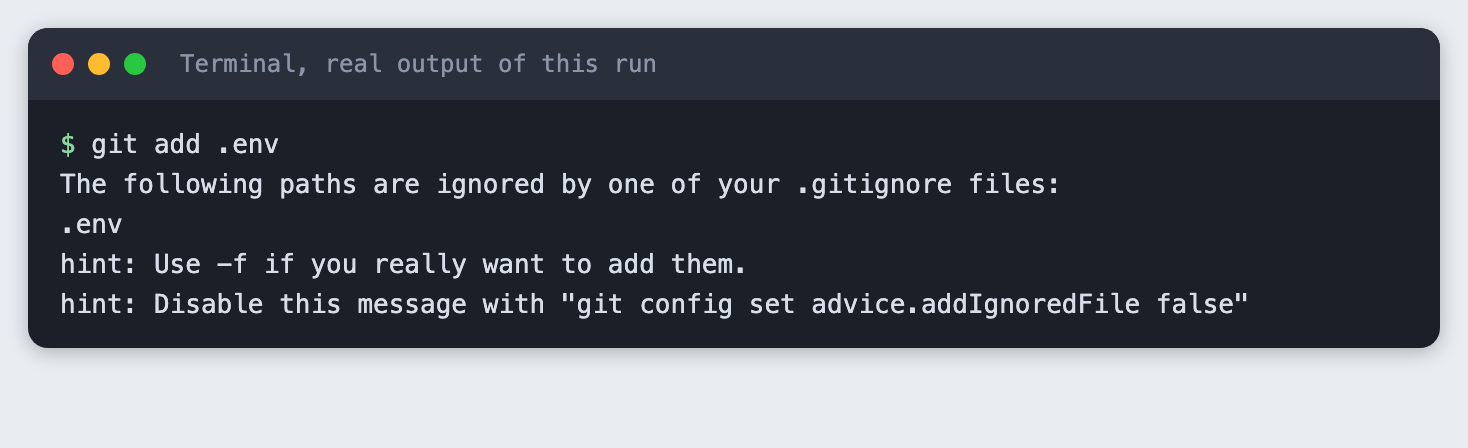
The rest of this tutorial builds the repo from scratch. Everything happens inside one local folder. Nothing is pushed anywhere.
Step 1. Create the repo
Make a folder for the project, open a terminal in it, and start a repo:
git init -b main && git status
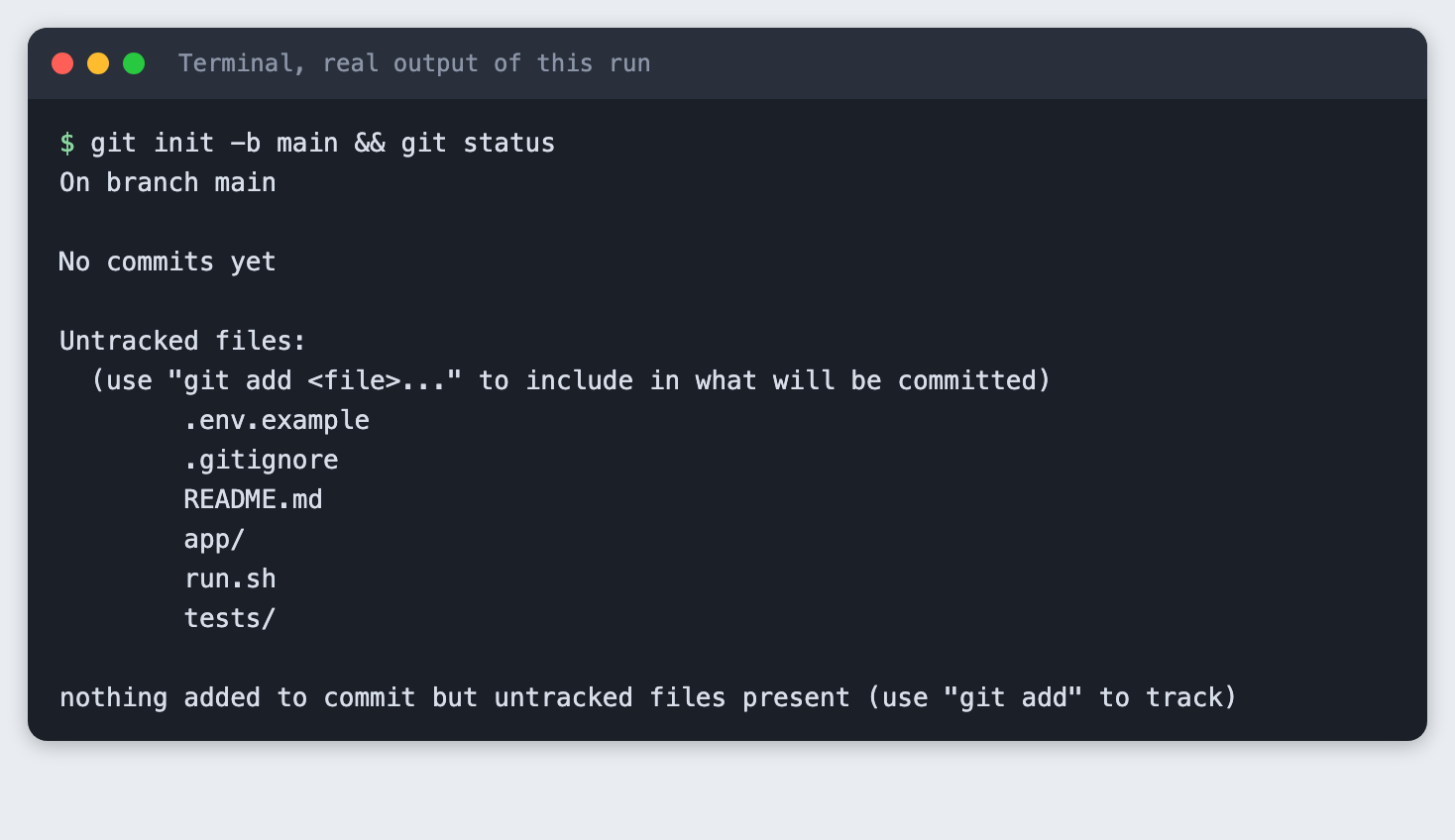
-b main names the branch. Git says there are no commits yet, and it lists the files it can see but does not track. The files in the screenshot are the ones this tutorial adds in the next steps, so you can create them before or after this command.
Step 2. Add the folder layout
Keep the layout small. Code goes in app/, checks go in tests/, and the files that describe the project sit at the top.
find . -name .git -prune -o -type f -print | sort
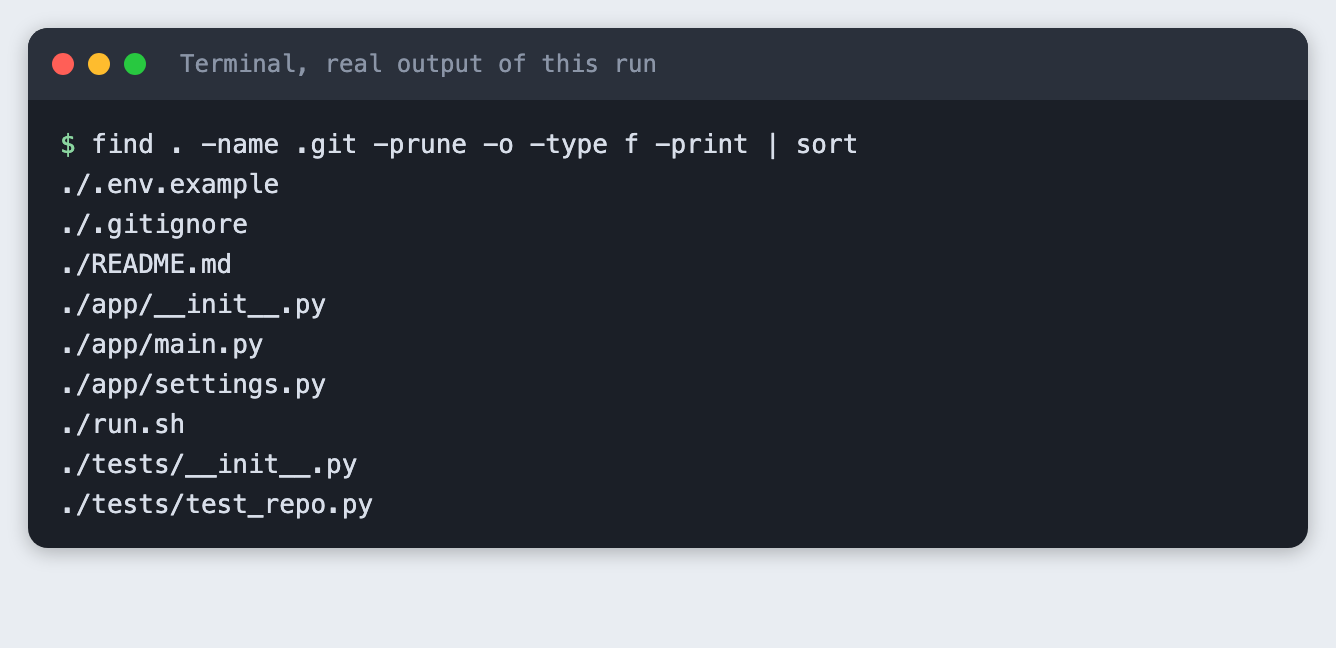
You should see nine files. Create each one with the contents shown in the steps below.
Step 3. Keep keys out of git
This step has two files. The .gitignore file lists what git must never track:
# Secrets: never commit these
.env

# Python
.venv/
__pycache__/
*.pyc
File: team-project/.gitignore
The .env.example file lists the names of the settings. It is committed, so it holds placeholder text only:
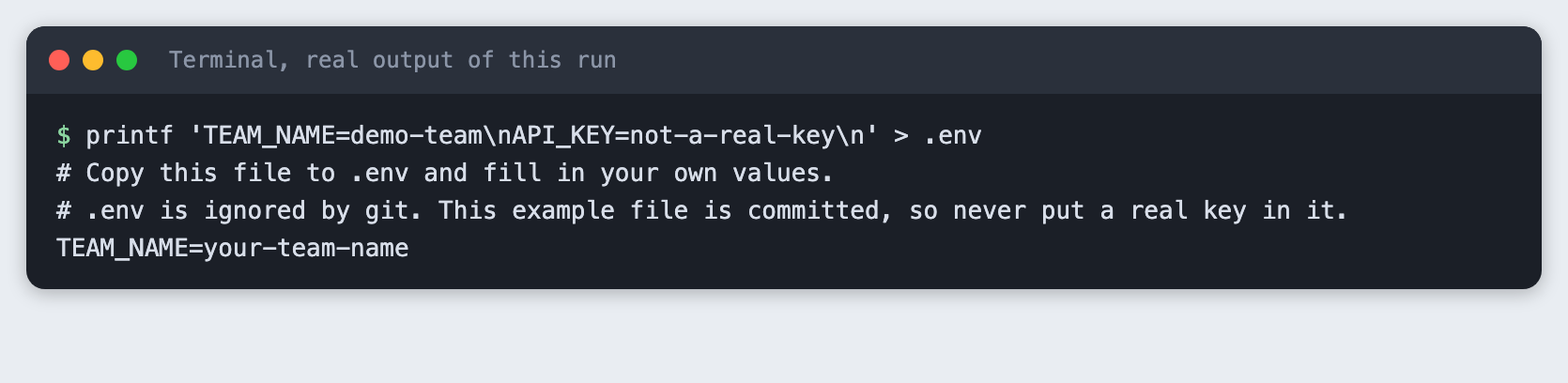
# Copy this file to .env and fill in your own values.
# .env is ignored by git. This example file is committed, so never put a real key in it.
TEAM_NAME=your-team-name
API_KEY=paste-your-key-here
File: team-project/.env.example
Your teammates copy .env.example to .env and fill in their own values. Now check that the rule works. First, here is what git does when the rule is missing. This test copies the example file to .env, moves .gitignore out of the way for one command, and puts it back:
cp .env.example .env
# with the .gitignore file moved away for this test:
git status --short .env

The ?? means git sees .env as a new file that the next git add . would pick up. That is the leak. Now with the rule in place:
git status --short --ignored .env && git check-ignore -v .env
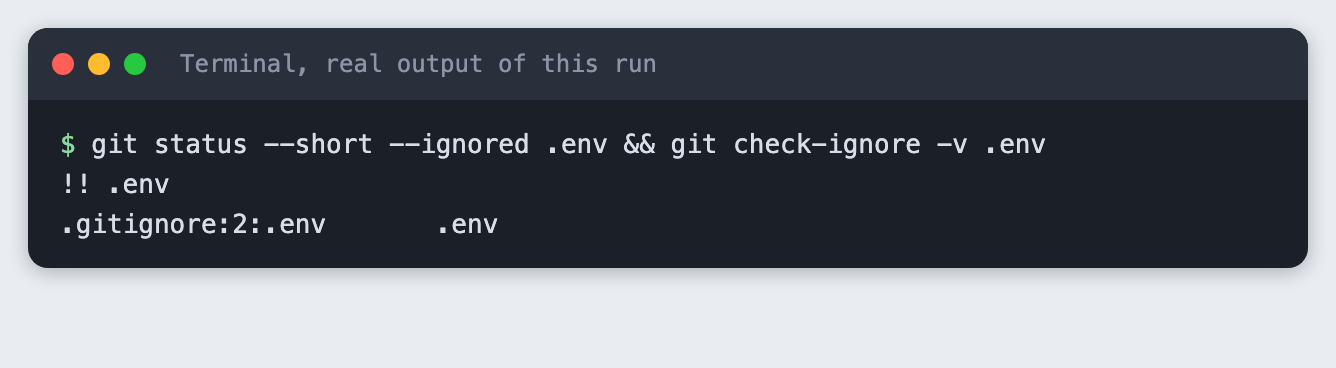
!! means ignored. The check-ignore -v command says which rule did it: line 2 of .gitignore, the pattern .env. Use this command whenever you wonder why git skips a file.
Now try to add the file anyway:
git add .env
Git stops with exit code 1. The hint mentions -f, which forces the add. Do not use it for secrets. The git add . command your team will run a hundred times skips .env without a message.
Put your own values in .env. This tutorial uses fake ones:
printf 'TEAM_NAME=demo-team\nAPI_KEY=not-a-real-key\n' > .env
Step 4. Add a README stub and a run script
The README stub gives a teammate who joins at hour three the two commands they need:
# Team project

One sentence on what this project does. Replace it in the first hour.

## Run it
cp .env.example .env # then edit .env bash run.sh
## Check it
python3 -m unittest -v
## Layout

| Path | What it is |
| --- | --- |
| `app/` | The code |
| `tests/` | Checks, run before every push |
| `.env.example` | The names of the settings, with no real values |
| `run.sh` | One command to start the project |
File: team-project/README.md
The settings loader reads .env with no extra packages, so there is nothing to install:
"""Read settings from the .env file, if there is one."""
from pathlib import Path


def load_env(path=".env"):
    """Return the NAME=value lines of a .env file as a dict. A missing file gives an empty dict."""
    settings = {}
    file = Path(path)
    if not file.is_file():
        return settings
    for line in file.read_text(encoding="utf-8").splitlines():
        line = line.strip()
        if line and not line.startswith("#") and "=" in line:
            name, value = line.split("=", 1)
            settings[name.strip()] = value.strip()
    return settings
File: team-project/app/settings.py
The entry point says whether the key is set. It never prints the key, so a screen share or a recorded demo cannot leak it:
from app.settings import load_env


def main():
    settings = load_env()
    if not settings:
        print("No .env file found. Run: cp .env.example .env")
        raise SystemExit(1)
    print(f"Team: {settings.get('TEAM_NAME', '(not set)')}")
    # Say whether the key is there. Never print it.
    print("API_KEY: set (hidden)" if settings.get("API_KEY") else "API_KEY: missing")


if __name__ == "__main__":
    main()
File: team-project/app/main.py
The run script is one line, so everyone starts the project the same way:
#!/usr/bin/env bash
set -e
python3 -m app.main
File: team-project/run.sh
Run it:
bash run.sh
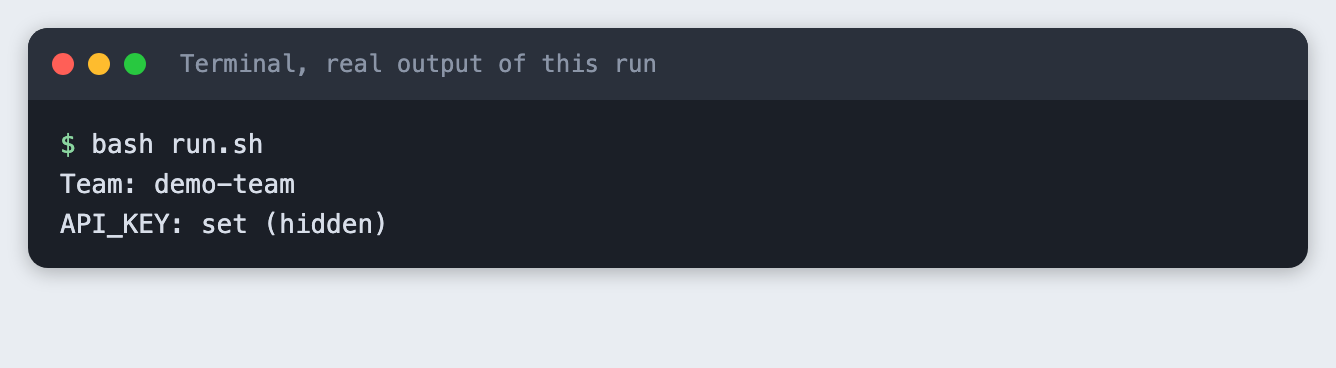
You should see the team name from your .env and the words set (hidden). If .env is missing, the program prints how to create it.
Step 5. Add one passing check
A single check that runs in a second is enough to start. This one confirms that .env.example lists the settings and holds no real key, that a missing .env does not crash the loader, and that .gitignore still lists .env. The last check catches a teammate who deletes the line by accident.
import unittest
from pathlib import Path

from app.settings import load_env

ROOT = Path(__file__).resolve().parent.parent


class RepoSetupTests(unittest.TestCase):
    def test_env_example_lists_the_settings(self):
        names = load_env(ROOT / ".env.example")
        self.assertIn("TEAM_NAME", names)
        self.assertIn("API_KEY", names)

    def test_env_example_holds_no_real_key(self):
        self.assertEqual(load_env(ROOT / ".env.example")["API_KEY"], "paste-your-key-here")

    def test_missing_env_file_gives_empty_settings(self):
        self.assertEqual(load_env(ROOT / "no-such-file.env"), {})

    def test_gitignore_lists_env(self):
        lines = (ROOT / ".gitignore").read_text().splitlines()
        self.assertIn(".env", lines)


if __name__ == "__main__":
    unittest.main()
File: team-project/tests/test_repo.py
python3 -m unittest -v
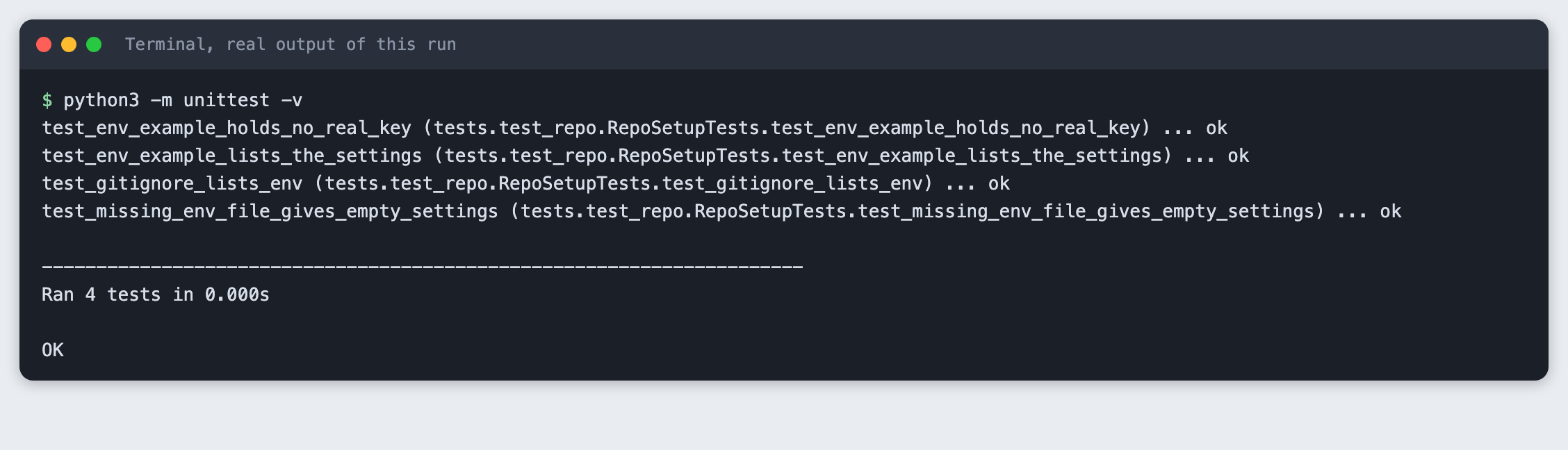
Four checks ran and all passed. The timing line will differ on your machine.
Step 6. Commit, and confirm .env is not in it
Commit everything and list what git tracks:
git add . && git commit -m 'Starter repo'
git ls-files && git log --oneline && git status --short
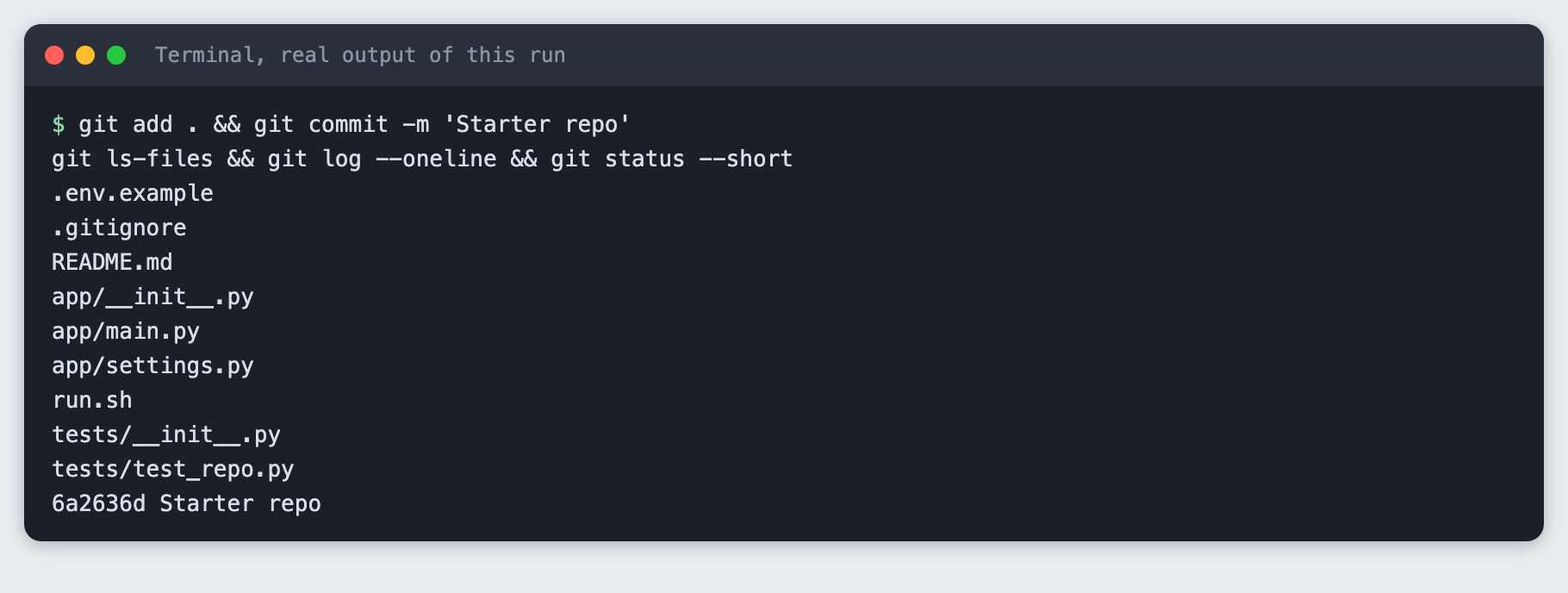
Nine files are tracked, and .env is not one of them. The commit hash in your output will differ. The -c user.name and -c user.email options in the saved command are placeholders for a throwaway repo. On your own machine, set your name and email once with git config, then type git commit -m "Starter repo".
Pushing and inviting the team
The last part of the usual setup is to create a remote repo on a hosting service, add it with git remote add origin <address>, run git push -u origin main, and invite teammates there. We did not run this part, because it needs an account and would put a repo online. Before you push, run git ls-files as in step 6. It must not list .env.
Troubleshooting
.env already shows as tracked. The ignore rule only applies to files git does not track yet. If you committed .env earlier, run git rm --cached .env, commit, and then change the key at the provider, because it is in the history.
git check-ignore -v .env prints nothing and exits with 1. No rule matches. Check that the line in .gitignore is exactly .env with no spaces.
bash run.sh says No .env file found. Run cp .env.example .env in the project folder.
The tests find no tests. Run python3 -m unittest -v from the project folder, the one that contains app/ and tests/. Both folders need an __init__.py file.
Frequently asked questions
What should an AI hackathon repo contain on day one?
The repo built here has nine files: code in app/, checks in tests/, a .gitignore, a .env.example, a README stub and a one-line run script. It needs no API key.
How do I keep API keys out of a hackathon repo?
Keep keys in a .env file, list .env in .gitignore, and commit a .env.example that holds placeholder text only. In this tutorial, git add .env was refused with exit code 1 because the file is ignored.
Should the whole team share one repo in a short AI hackathon?
Not tested here. This tutorial built one repo in one local folder. It did not push the repo or invite teammates. A shared remote repo is the usual way for a team to work, and git ls-files should not list .env before you push.
What to try next
- Add a
LICENSEfile and the name of each teammate to the README. - Add a check that fails if any tracked file contains the text
API_KEY=followed by a value other than the placeholder. - Add a virtual environment and a
requirements.txt. The.gitignorehere already ignores.venv/.
How this tutorial was tested
Tested on 10 November 2026 on macOS 26 with Git 2.50.1 and Python 3.14.6. The code and commands in this article are copied from the project files and the saved run, not retyped. The steps were replayed from an empty copy of the project folder, and all nine passed. The repo was created and committed in a throwaway folder and was never pushed.
The terminal images are rendered from the saved output of each command, with the label "real output of this run". They are not captures of a terminal window, because this Mac does not allow desktop capture for the tool.
Not run: Windows, Linux, the git rm --cached fix in Troubleshooting, pushing to a remote host, and inviting teammates. The git hint text in step 3 can differ between Git versions.